Self-hosting
Run Halo on infrastructure you control.
A production installation is four containers on one Linux host: Caddy for TLS, the web interface, the Go server and PostgreSQL 17. The install script generates the secrets and starts them with Docker Compose, and Halo needs no external service.
Requirements
- A Linux host with DockerDocker Engine and the Docker Compose plugin, on amd64 or arm64. The Compose files were tested with Docker 29.8 and Compose 5.5.
- git and opensslThe install script clones the repository with git and generates the secrets with openssl.
- A domain you will keepIt becomes the OpenID Connect issuer, and passkeys only work on the hostname they were created for.
- Ports 80 and 443 openReachable from the internet, so Caddy can obtain and renew the TLS certificate.
In testing, the four containers used about 200 MB of memory at idle.
Install
From an empty host to your first passkey.
Four steps. The script covers the middle of the deployment guide: it clones the repository, writes deploy/.env with new secrets, and downloads and starts Halo.
- 01
Point DNS at the host
Create an
Arecord for your domain, and anAAAArecord if the host has IPv6. Wait until it resolves, or Caddy cannot obtain a certificate.DNS recordsauth.example.com. A 203.0.113.10auth.example.com. AAAA 2001:db8::10 - 02
Run the install script
It asks for your domain and organization name, or reads them from
HALO_DOMAINandHALO_ORGANIZATION. It installs into/opt/haloas root and~/halootherwise. SetHALO_DIRto choose another directory andHALO_REFto install a branch or tag other thanmain.If your domain does not load afterwards,
docker compose logs caddysays why. The usual causes are DNS that does not point at the host yet, or ports 80 and 443 blocked by a firewall.Install$ curl -fsSL https://halo.scala.gg/install.sh | shEnvironment variables the install script reads Variable Default HALO_DOMAINAsked on the terminal HALO_ORGANIZATIONAsked on the terminal HALO_DIR/opt/haloas root,~/halootherwiseHALO_REFmain - 03
Create the first administrator
Run
halo bootstrapin the server container, from thedeploydirectory. It creates a global administrator and prints a setup link. It refuses to run once a global administrator exists.Bootstrap$ cd /opt/halo/deploy$ docker compose exec halo-server halo bootstrap --email you@example.com --name "Your Name" - 04
Open the link and register a passkey
The setup link works once and expires after 7 days. Once you have a passkey, the console is at
https://auth.example.com/admin, and you invite everyone else from there.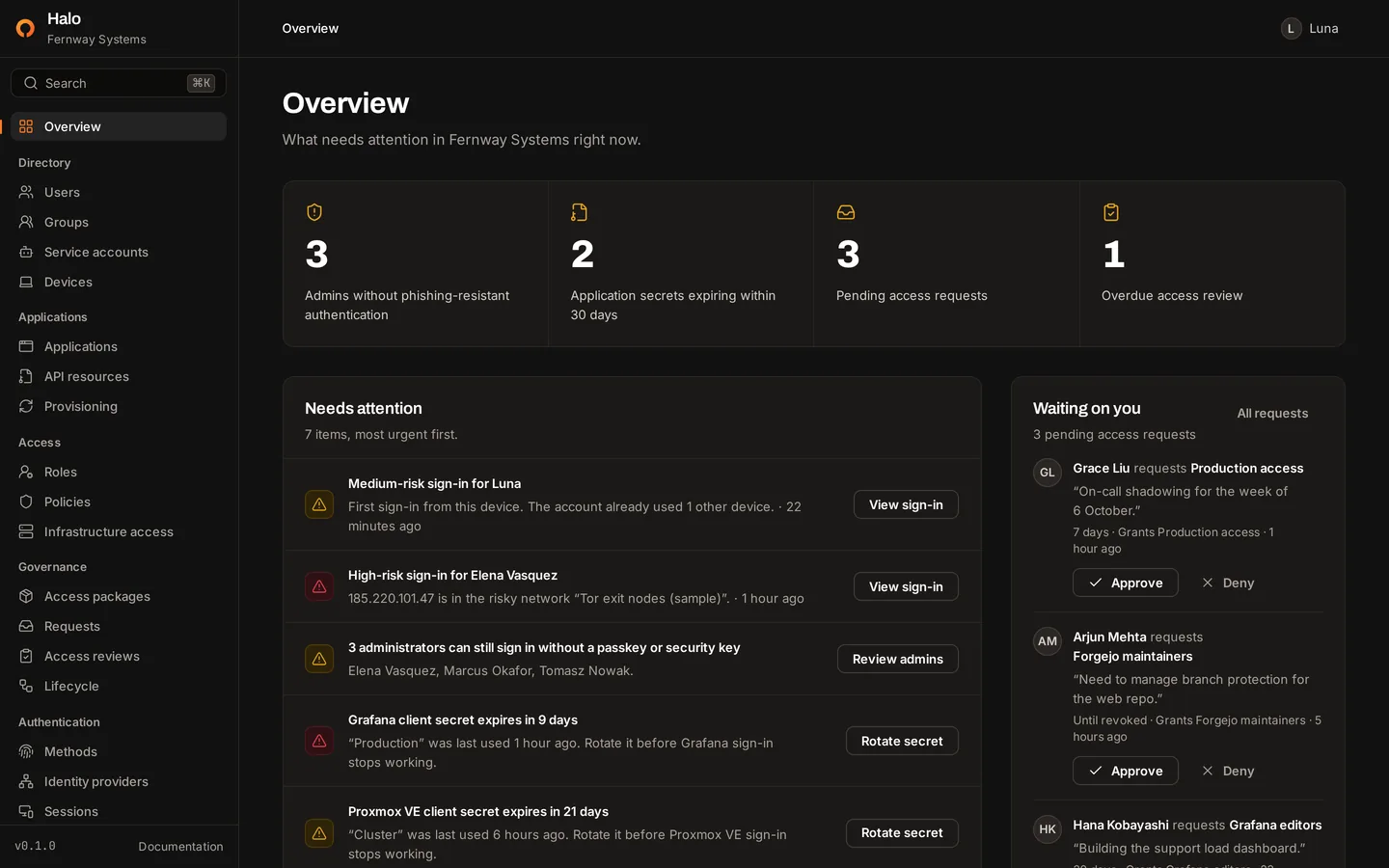
Prefer to run each step yourself? Install without the script from the deployment guide.
The install script
What the script does, in order.
It is a short POSIX shell script that you can read before you pipe it to a shell. This is what it does, step by step.
- preflightStops unless
git,openssl, Docker and the Compose plugin are installed and this user can use Docker. It also stops if the install directory exists, and points you at the upgrade steps instead. - promptReads the domain and organization name from
HALO_DOMAINandHALO_ORGANIZATION, or asks for them on the terminal. The domain must be a bare host name, and the organization name cannot contain quotes, backslashes, dollar signs or backticks. - cloneClones the repository at
HALO_REF, one commit deep, into the install directory. - .envWrites
deploy/.envfrom.env.example, readable only by your user, with a database password fromopenssl rand -hex 32andHALO_SECRET_KEYfromopenssl rand -base64 32. - startPulls the images and starts them with
docker compose up --wait, waiting up to 10 minutes for the services to come up. - next stepsPrints what to do next: copy
HALO_SECRET_KEYinto your password manager, create the first administrator and open the setup link. - It installs no packages and does not change DNS or firewall rules.
What runs
Four containers and one public entry point.
halo-web serves the console, sign-in pages and account portal, and forwards /api, /oauth2, /.well-known, /saml and /scim to halo-server. Cookies, the OpenID Connect issuer and the passkey domain share one address.
- SMTP for email
- Webhooks
- SCIM to applications
- Google, Entra ID, GitHub
Only Caddy is exposed
Caddy publishes ports 80 and 443. halo-web, halo-server and PostgreSQL are reachable only on the internal halo network.
Published images
ghcr.io/scalastudios/halo-server is a static Go binary on a distroless base that runs as a non-root user. halo-web is a Next.js standalone server on Node.js 22. Both are built for linux/amd64 and linux/arm64.
Migrations on start
halo-server applies pending database migrations every time it starts. They only run forward, so take a backup before every upgrade.
Configuration
Configured with environment variables.
Halo reads them when a halo command starts. If a required variable is missing or invalid, it lists every problem and exits without starting. Settings such as session lifetime and lockout live in the console instead.
| Variable | Default | Purpose |
|---|---|---|
HALO_PUBLIC_URL | Required | The address people use to reach Halo. It is the OpenID Connect issuer, its hostname is the passkey domain, and it must use https outside development. |
HALO_DATABASE_URL | Required | The PostgreSQL connection URL. Halo is developed and tested against PostgreSQL 17. |
HALO_SECRET_KEY | Required | 32 random bytes, base64 encoded. Encrypts the signing keys and other stored secrets. |
HALO_LISTEN | :8080 | The address the Go server listens on. |
HALO_ORGANIZATION | Halo | The name in the console, on sign-in pages and in email, until a global administrator sets one in the console. |
HALO_TRUSTED_PROXIES | 127.0.0.1/32,::1/128 | CIDR ranges of the proxies whose X-Forwarded-For header Halo reads. |
HALO_DEV | Off | Development mode, on only when the value is exactly 1. It allows plain http and drops the Secure cookie flag. Never set it in production. |
HALO_SMTP_* | Empty, port 587 | The mail server for invite, reset and magic links. Optional. |
HALO_DOMAIN | Required | Compose only. The domain Caddy serves and obtains a certificate for. HALO_PUBLIC_URL is built from it. |
POSTGRES_PASSWORD | Required | Compose only. The password of the halo database user. HALO_DATABASE_URL is built from it. |
HALO_VERSION | main | Compose only. The image tag of halo-server and halo-web. |
HALO_DOMAIN=auth.example.comHALO_VERSION=mainPOSTGRES_PASSWORD=HALO_SECRET_KEY=HALO_ORGANIZATION="Example Organization"HALO_PUBLIC_URL=https://${HALO_DOMAIN}HALO_DATABASE_URL=postgres://halo:${POSTGRES_PASSWORD}@postgres:5432/haloHALO_LISTEN=:8080HALO_DEV=HALO_TRUSTED_PROXIES=172.31.250.0/24HALO_SMTP_HOST=HALO_SMTP_PORT=587HALO_SMTP_USERNAME=HALO_SMTP_PASSWORD=HALO_SMTP_FROM=The install script fills in the domain, organization, database password and secret key.
Email is optional.
Without a mail server, the console shows invite and reset links to the administrator who creates them, to pass on. With SMTP, Halo emails those links and access request notices itself, and people can sign in with magic links.
- Port 465TLS from the start of the connection.
- Any other portSTARTTLS is required, except for localhost or a loopback address such as a local relay.
- AuthenticationPLAIN when
HALO_SMTP_USERNAMEis set. Without it, Halo sends without authenticating. - The outboxEvery message is written to PostgreSQL first, with its body encrypted, and gets up to 5 delivery attempts within a day.
HALO_SMTP_HOST=smtp.example.comHALO_SMTP_PORT=587HALO_SMTP_USERNAME=halo@example.comHALO_SMTP_PASSWORD=…HALO_SMTP_FROM="Halo <halo@example.com>"Then run docker compose up -d. Halo refuses to start when HALO_SMTP_HOST is set without HALO_SMTP_FROM.
Operations
Backups, upgrades and key rotation.
Run these from the deploy directory: /opt/halo/deploy for a root install, ~/halo/deploy otherwise.
Back up and restore
Back up two things: the database and HALO_SECRET_KEY. Signing keys and authenticator-app secrets in the database are encrypted with that key, so a dump restored without it cannot sign anyone in. deploy/.env holds both the key and the database password.
Copy each dump off the host. Restore with the HALO_SECRET_KEY that was in use when the dump was taken. Caddy keeps its certificates in the caddy-data volume and requests new ones if it is lost.
$ docker compose exec -T postgres pg_dump -U halo -d halo --format=custom > halo-$(date +%F).dump$ docker compose stop halo-server halo-web$ docker compose exec -T postgres pg_restore -U halo -d halo --clean --if-exists < halo-2026-10-04.dump$ docker compose start halo-server halo-webUpgrade
Take a backup first. Migrations only run forward: to go back, restore the backup from before the upgrade and start the older version.
HALO_VERSION in deploy/.env picks the image tag. main follows the latest commit, and a release tag pins that version. Halo has not published a release yet.
pull also updates PostgreSQL and Caddy within their pinned versions, and halo-server applies new migrations when it starts.
$ git pull$ docker compose pull$ docker compose up -dRotate HALO_SECRET_KEY
halo rotate-secret-key re-encrypts every stored secret from the current key to a new one in a single transaction, so either everything moves to the new key or nothing changes. Halo must not be running while it does this. Sessions and passkeys do not depend on the key.
What does not carry over
- Recovery codesHalo keeps only an HMAC of each code, so the command removes them and lists the people who had them. They generate new codes on their account's Security page.
- Opaque access tokens and unredeemed authorization codesApplications get new access tokens with their refresh tokens, and anyone halfway through signing in starts again.
- Older backupsBackups taken before the rotation still need the old key. Keep it until those backups have expired.
1Take a backup. Generate the new key and store it in your password manager.
New key$ openssl rand -base64 322Stop Halo and run the rotation.
HALO_SECRET_KEYindeploy/.envstill holds the current key. If any value cannot be opened with it, the command stops and changes nothing.Rotate$ docker compose stop halo-web halo-server$ docker compose run --rm -e HALO_NEW_SECRET_KEY='<new key>' halo-server rotate-secret-key3Replace
HALO_SECRET_KEYindeploy/.envwith the new key, then start Halo.Start$ docker compose up -d
Networking
Proxies, client addresses and health checks.
Halo records the client's IP address on every sign-in, session and audit event, so the proxy chain in front of it matters.
Reverse proxy
Caddy sets X-Forwarded-For to the client's address and ignores any value the client sent, and halo-web passes it through. halo-server reads the header only from addresses in HALO_TRUSTED_PROXIES, and uses the right-most address that is not itself a trusted proxy.
HALO_TRUSTED_PROXIES=172.31.250.0/24That is the subnet compose.yml gives the halo network. Without it, Halo records halo-web's address for everyone. If docker compose up fails with “Pool overlaps”, pick another private /24 and change it in both compose.yml and .env.
To use a proxy you already run, remove the caddy service, publish halo-web on a local port and forward every path on your domain to it. Your proxy must terminate TLS and set X-Forwarded-For after discarding any value the client sent.
Health check
halo-server answers GET /healthz on port 8080 with 200 ok when the database responds and 503 when it does not.
healthcheck: test: ["CMD", "wget", "-q", "-O", "/dev/null", "http://halo-server:8080/healthz"]The halo-server image is distroless, with no shell, wget or curl, so halo-web runs the check against it over the internal network. Caddy waits for it before it starts. On another orchestrator, point an HTTP probe at port 8080, path /healthz.
Other platforms
Kubernetes and other orchestrators.
There is no Helm chart. The Compose files are one way to run the same three programs, and a deployment on another platform needs the same things:
- The published images. The web image forwards to
http://halo-server:8080. For another address, build the images yourself and pass it asHALO_API_URLboth when you build the web image and when you run it. - Only the web interface exposed, behind a proxy that terminates TLS and sets
X-Forwarded-For. - Liveness and readiness probes on the Go server, at port 8080 and path
/healthz. - The server variables from the configuration table, with
HALO_PUBLIC_URLset to the public https address. - A single
halo-serverprocess.
Known limitations
- One organization per installation.
- One server process.Email and webhook delivery coordinate through the database, but outbound SCIM, access expiry and lifecycle rules run in every server process without coordinating. Run one halo-server.
- No metrics endpoint.The server logs requests and errors as structured text.
- No Helm chart or Kubernetes manifests.
- No tagged release yet.Until the first release, main and its images are the only supported version.
Development
Run from source.
To work on Halo or try it on your own computer, you need Go 1.27, Bun 1.3 or Node.js 22, and Docker for the development database.
Start the server and the web interface
$ git clone https://github.com/ScalaStudios/Halo.git && cd Halo$ docker compose -f compose.dev.yml up -d$ cp .env.example .envSet HALO_SECRET_KEY in .env to the output of openssl rand -base64 32, then create an administrator and start the server.
$ set -a && . ./.env && set +a$ go run ./cmd/halo bootstrap --email you@example.com --name "Your Name"$ go run ./cmd/halo serve$ cd web && bun install && bun run devOpen the setup link that bootstrap printed to register a passkey. Halo runs at http://localhost:3200, and go run ./cmd/halo seed-demo loads a demo organization with 68 people.
Build the images from a checkout
deploy/compose.build.yml builds halo-server and halo-web from your checkout instead of pulling the published images.
$ cd deploy$ docker compose -f compose.yml -f compose.build.yml up -d --buildThe web image takes the address of halo-server as the HALO_API_URL build argument, because Next.js writes the forwarding rules into the image at build time.
Run Halo on your own infrastructure.
One command on a Linux host with Docker. Then create your administrator and register a passkey.
curl -fsSL https://halo.scala.gg/install.sh | sh