Access policies
Policies that decide every sign-in.
Before Halo creates a session or sends someone back to an application, it asks the policy engine. That covers passkey and code sign-ins, magic links, federated sign-ins, silent sign-in with prompt=none and approving a halo login.
How Halo decides
Luna → AWS IAM Identity Center
- Method
- Passkey
- Device
- Trusted
- Network
- Office
- Risk
- None
- Block high-risk sign-insEnforcedNo match
- Require a passkey for administratorsEnforcedSatisfied
- Require a trusted device for productionReport-onlyNo match
Every matching policy is satisfied.
The engine
How Halo decides.
An allow policy never overrides a stricter policy that also matches. To exempt people, add them or one of their groups to the policy's exclusions.
- 01Blocked deviceIf an administrator blocked the device, the sign-in is refused.
- 02Method turned offIf the sign-in method is off for the organization, the sign-in is refused.
- 03Strictest enforced matchEvery enabled policy is checked. Of the enforced ones that match, block beats requiring a passkey, which beats allow.
- 04No matchWhen no enforced policy matches, Halo allows the sign-in.
Writing a policy
Who, where, on what, and how.
A policy matches only when every condition holds. Then it does one of three things.
- AllowLet the sign-in through.
- Require a passkey or security keyRefuse other methods. The person can sign in again with a phishing-resistant one.
- BlockRefuse the sign-in. The sign-in log records the policy and its reason.
| Condition | Matches |
|---|---|
| People | Everyone, or chosen groups and people. Exclusions always win. |
| Applications | All applications, or chosen ones. Halo itself covers the console and the account portal. |
| Network | Inside or outside chosen network zones, or any network. |
| Device | Trusted devices only, or devices that aren't trusted. |
| Risk | One or more of none, low, medium and high. |
| Sign-in method | Passkey, security key, authenticator app, magic link, recovery code or identity provider. |
Examples
| Goal | Applies to | Covers | Condition | Effect |
|---|---|---|---|---|
| Administrators always use passkeys | Group Administrators | Halo | — | Require a passkey or security key |
| Block sign-ins from a risky network | Everyone | All applications | Inside Tor exit nodes | Block |
| Keep high-risk sign-ins out of finance tools | Everyone | Billing | Risk: high | Block |
| No magic links for production access | Group Production | All applications | Method: magic link | Block |
Report-only
See the effect before you enforce it.
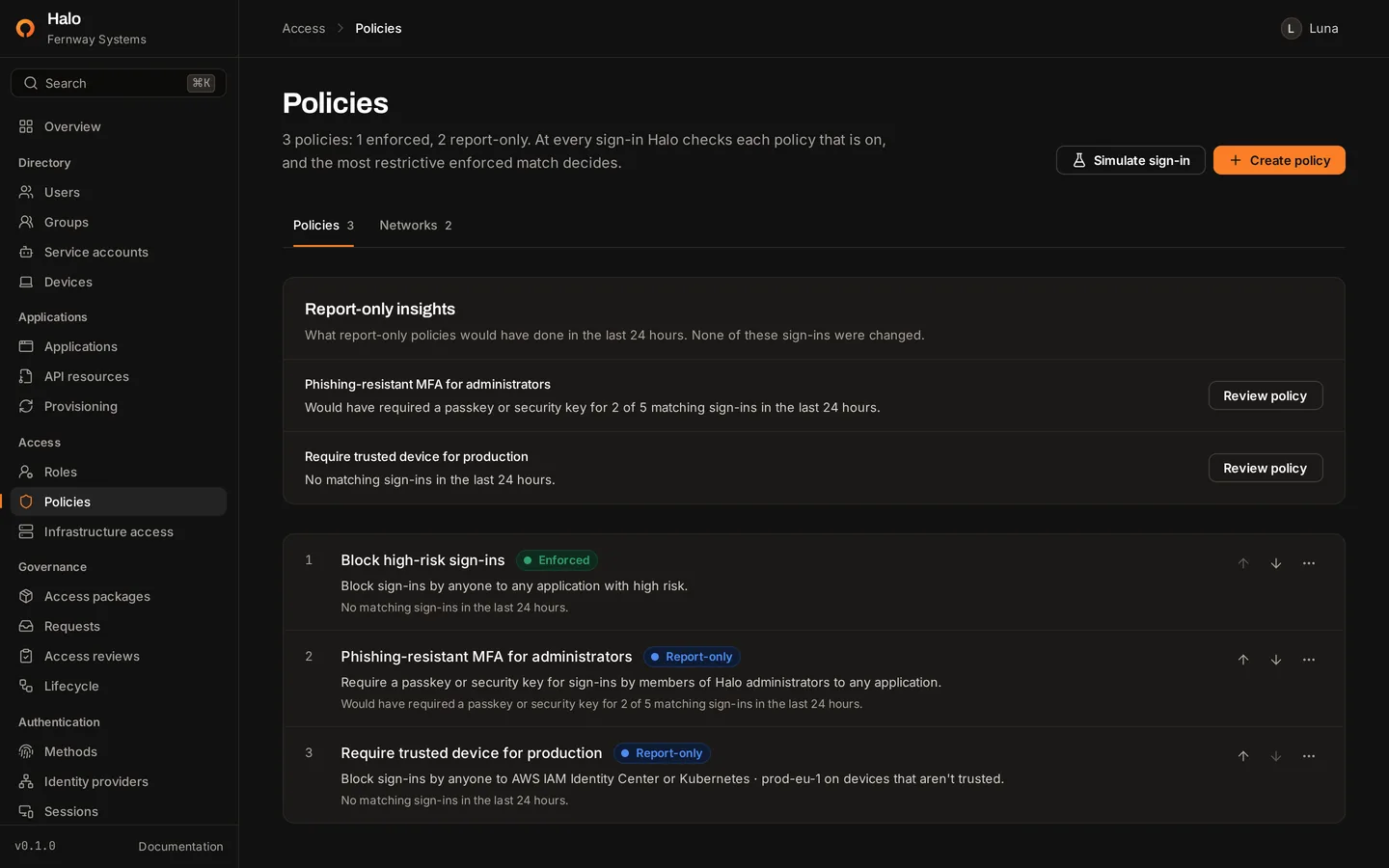
A report-only policy is evaluated on every sign-in like an enforced one, but never changes the outcome. The policy list shows, for the past 24 hours, how many sign-ins each policy matched and how many it would have stopped.
The simulator
Pick a person, an application, an IP address, a sign-in method and a device trust level. Halo shows the decision, the risk level with each signal, and why every enabled policy matched or didn't. A simulation records nothing.
Sign-in risk
Every sign-in gets a risk level.
The risk of a sign-in is the highest level among its signals, or none. The sign-in log shows it on every event, and policies can match on it.
| Signal | Level | When |
|---|---|---|
| Risky network | High | The address is in a network zone marked risky. |
| Repeated failed sign-ins | High | The account or the address typed had 5 or more failed sign-ins in 15 minutes. |
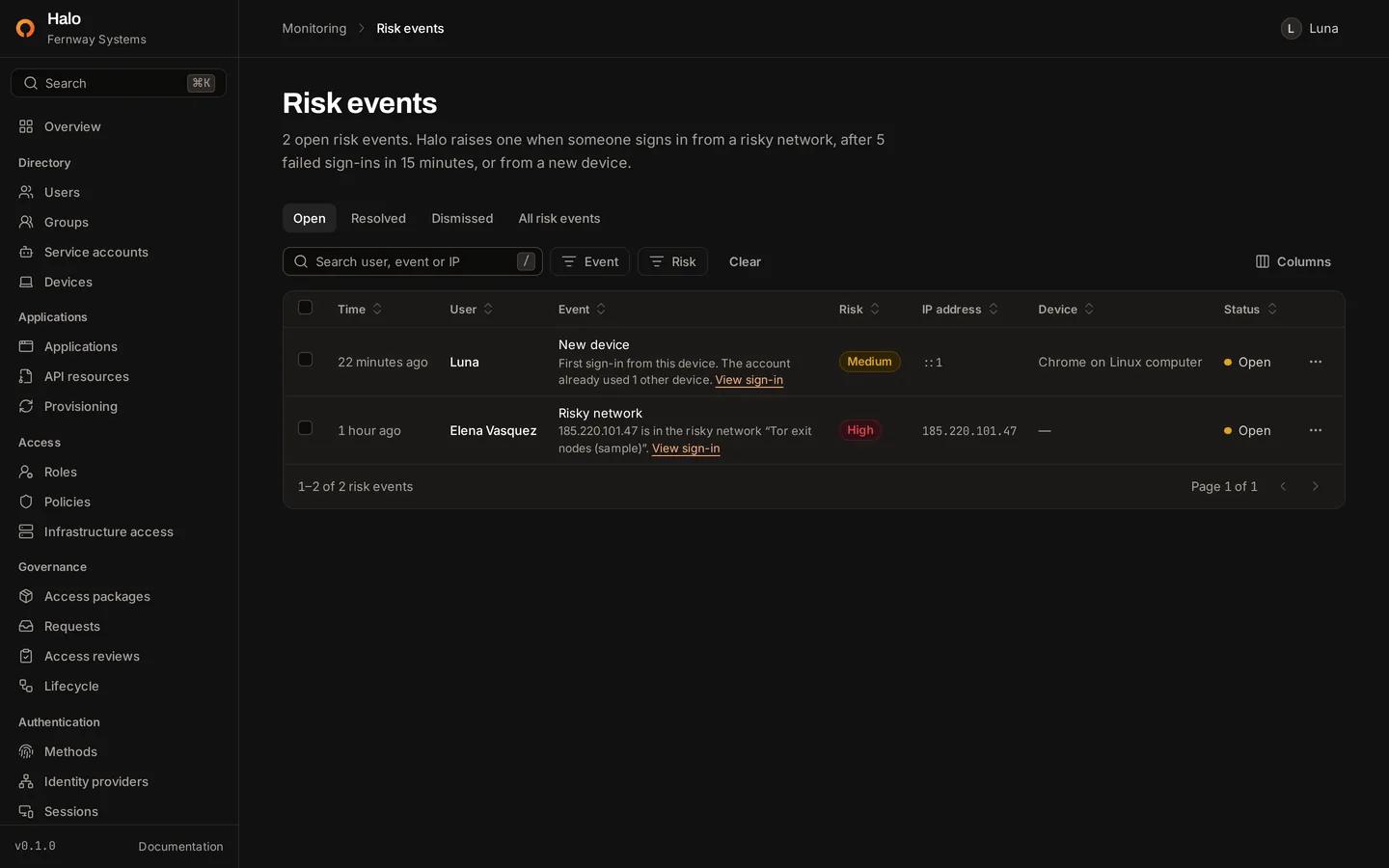
| New device | Medium | A browser this person has never used, when they already signed in from others. |
| New network | Low | A /24 or /48 network this person has never signed in from before. |
Risk events
Medium and high signals also open a risk event with the person, address, device and detail. A security administrator resolves it after acting, or dismisses it when it was expected.
Context
Networks and devices policies can rely on.
Network zones
A zone is a named list of IPv4 and IPv6 addresses and ranges, up to 500 each, marked trusted or risky. Policies match on zones, and a risky zone raises every sign-in from it to high risk even when no policy names it.
Behind a reverse proxy, set HALO_TRUSTED_PROXIES so Halo sees the client's address.
Devices
Each browser gets a device cookie that identifies it to the policy engine but authenticates no one. Security administrators mark devices trusted or blocked. Blocking a device refuses its sign-ins and ends the sessions it started.
Infrastructure access
SSH certificates from the same identity.
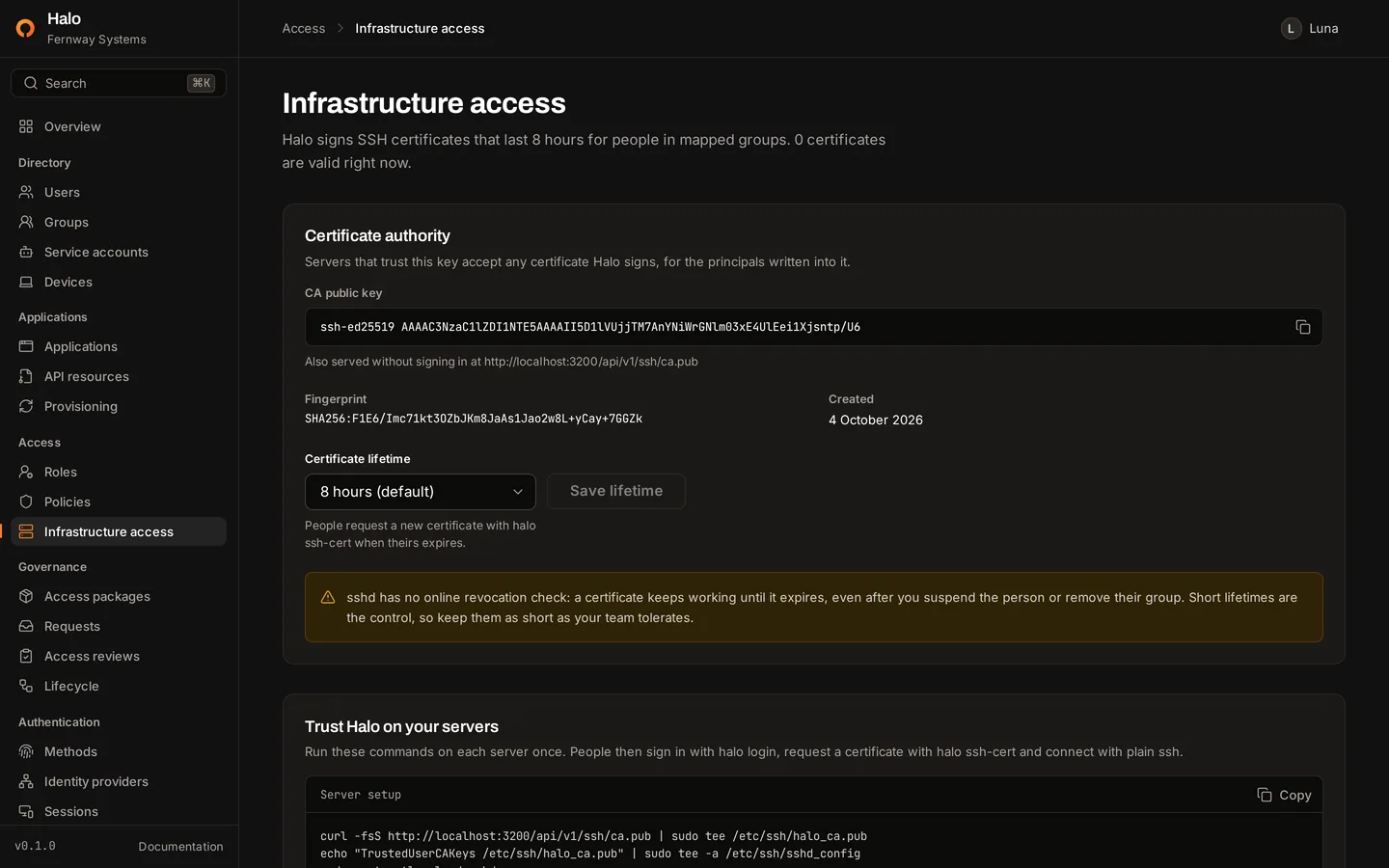
Halo runs an SSH certificate authority. Security administrators map groups to unix account names, and halo ssh-cert signs a person's public key for every principal their groups map to.
Certificates last 8 hours by default, adjustable from 5 minutes to 24 hours. sshd cannot ask Halo whether a certificate is still wanted, so the lifetime is the main control.
$ curl -fsS https://auth.example.com/api/v1/ssh/ca.pub | sudo tee /etc/ssh/halo_user_ca.pub$ echo "TrustedUserCAKeys /etc/ssh/halo_user_ca.pub" | sudo tee -a /etc/ssh/sshd_config$ sudo sshd -t && sudo systemctl reload sshd$ halo login --server https://auth.example.comOpen https://auth.example.com/device?user_code=WDJB-MJHTand check that the page shows the code WDJB-MJHT.Waiting for you to approve the sign-in…Signed in to https://auth.example.com as Luna <luna@example.com>.$ halo ssh-certWrote certificate 1042 to /home/luna/.ssh/id_ed25519-cert.pub.Log in as ops, deploy until 5 October 17:41 CEST.$ ssh ops@db-1.internal
Run Halo on your own infrastructure.
One command on a Linux host with Docker. Then create your administrator and register a passkey.
curl -fsSL https://halo.scala.gg/install.sh | sh