Authentication
Sign-in without passwords.
People sign in to Halo with a passkey or a security key. Authenticator apps, recovery codes, email links and other identity providers are there when you want them, and each one can be switched off.
Animation: Luna chooses Continue with passkey, confirms with her fingerprint, and Halo signs her in with a phishing-resistant passkey.
Passkeys
What happens when someone signs in.
Halo is a WebAuthn relying party for the hostname of your Halo address. Passkeys created there only work there, so a lookalike domain receives nothing it can replay.
- 01Halo sends a challengeThe sign-in page asks the browser for a passkey for your Halo domain. Each challenge works once and expires after 5 minutes.
- 02The device checks the personA fingerprint, face, screen lock or PIN unlocks the passkey where the authenticator supports one. The private key never leaves the device.
- 03Halo verifies the signatureAgainst the stored public key, from Halo's own origin only. A signature counter that goes backwards, a sign of cloning, is rejected.
- 04A session startsBound to this browser, for 12 hours by default, and checked on the server on every request.
Halo stores each credential's public key, id, signature counter, transports and backup flags. It never receives a private key or biometric data.
Sign-in methods
Every way in, and how strong it is.
The console's user list shows each person's strongest method, so you can see who still relies on a single factor and ask them to add a passkey.
| Method | How it works | Strength |
|---|---|---|
| Passkey | A credential on a phone, a laptop or a password manager, chosen from the browser's prompt without typing an email address. | Phishing-resistant |
| Security key | A hardware key such as a YubiKey, over USB or NFC. | Phishing-resistant |
| Authenticator app | A six-digit code from apps like 1Password or Aegis. Each code works once. | Single factor |
| Recovery code | Ten single-use codes of 16 characters, generated together and shown once. | Single factor |
| Magic link | A link sent by email that works once and expires after 10 minutes. At most 5 per person in 15 minutes. | Single factor |
| Identity provider | Google, Microsoft Entra ID, GitHub or any OpenID Connect provider. | As strong as the provider |
Security administrators turn methods on and off for the whole organization. At least one of passkeys, security keys, authenticator apps and magic links stays on. To allow a method for some people only, keep it on and write an access policy with a sign-in method condition.
Federation
Sign in with an account people already have.
Halo can accept sign-in through Google, Microsoft Entra ID, GitHub, GitHub Enterprise Server or any OpenID Connect provider. Halo stays the identity provider for your applications; the external provider only proves who someone is.
Every federated sign-in uses PKCE and a state bound to the browser, plus a nonce for OpenID Connect providers. Entra ID needs your tenant ID, so only accounts from your tenant get in.
- 1An existing linkA provider account linked before signs in to the same Halo account, identified by its subject rather than its email address.
- 2A verified email addressThe provider must confirm the address, and its domain must be one you allow. Halo then links the accounts and records it in the audit log.
- 3A new accountWhen turned on, Halo creates the account on first sign-in and adds it to the groups you choose. This needs at least one allowed domain.
https://auth.example.com/api/v1/auth/federated/callbackA federated sign-in is only as strong as the provider's own, so policies that require a passkey or security key refuse it.
Account portal
People manage their own sign-in.
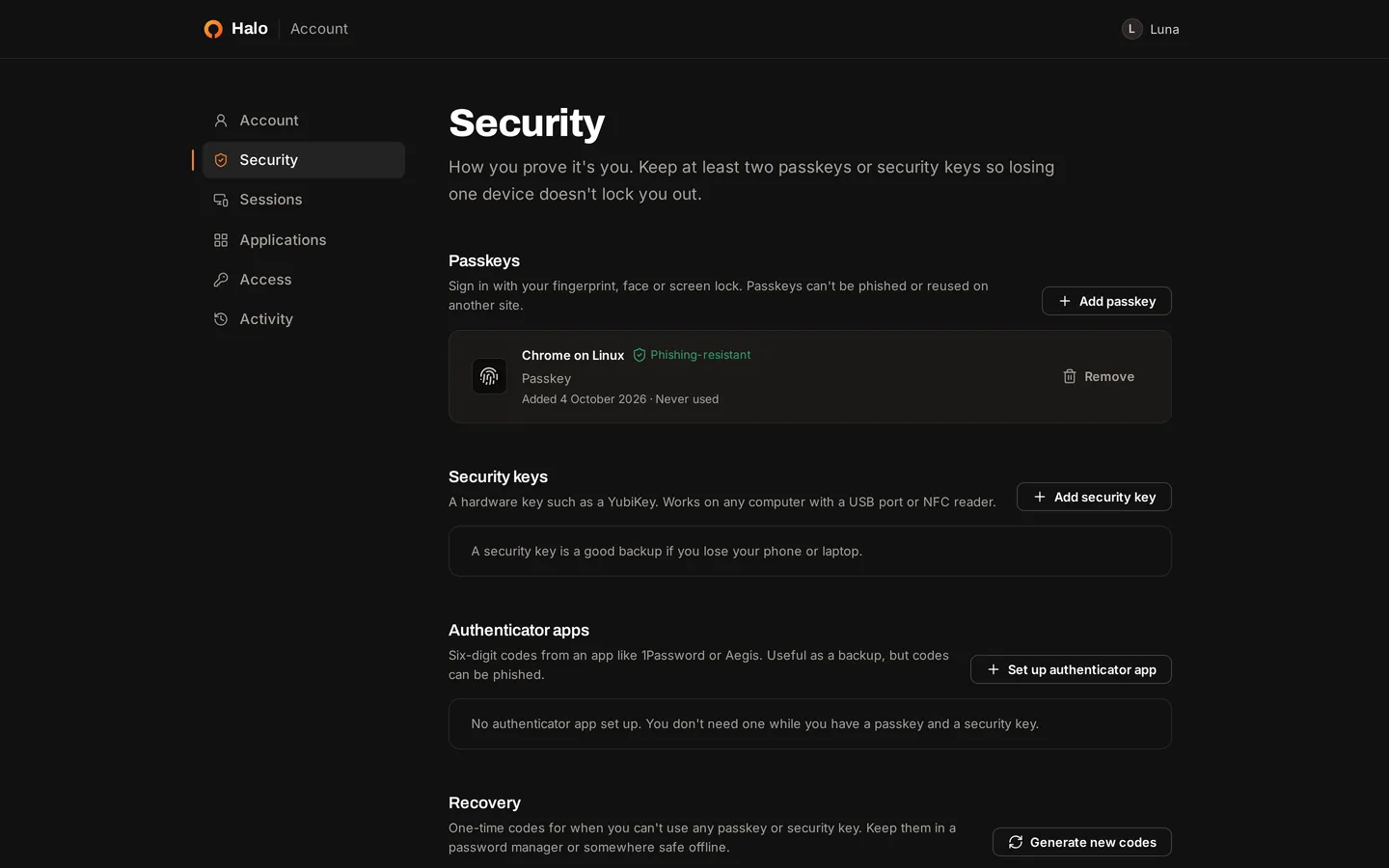
The account portal lists each person's passkeys, security keys, authenticator apps, recovery codes, linked accounts, sessions and applications. Halo refuses to remove the last way someone can sign in.
Sessions
Sessions, lockouts and lost devices.
Sessions
The session cookie is HttpOnly, Secure and SameSite=Lax, and Halo stores only a hash of it. Signing out, revoking a session, suspending the account or blocking its device ends the session at once and revokes the tokens applications received during it.
Lockout
After 5 failed authenticator or recovery codes within 15 minutes, Halo refuses further codes for that account. Security administrators can change the threshold and the window. Passkey sign-in is never locked out.
Lost devices
People can register several passkeys and keep recovery codes. An administrator can reset someone's sign-in methods and send a setup link that works once and expires after 7 days by default.
Run Halo on your own infrastructure.
One command on a Linux host with Docker. Then create your administrator and register a passkey.
curl -fsSL https://halo.scala.gg/install.sh | sh